Les raccourcis
Le plus important : CTRL => COMMANDE
.png "control-command_keys%20%281%29")
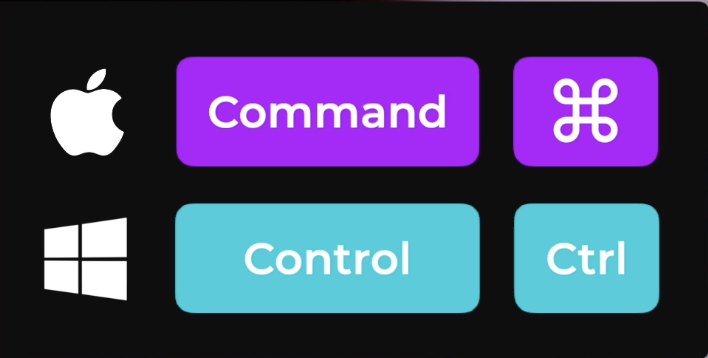
Raccourcis Clavier de Base
| Action | Windows | Mac |
|---|---|---|
| Copier | Ctrl + C | Cmd + C |
| Couper | Ctrl + X | Cmd + X |
| Coller | Ctrl + V | Cmd + V |
| Annuler | Ctrl + Z | Cmd + Z |
| Refaire | Ctrl + Y | Cmd + Shift + Z |
| Sélectionner tout | Ctrl + A | Cmd + A |
| Rechercher | Ctrl + F | Cmd + F |
| Imprimer | Ctrl + P | Cmd + P |
| Ouvrir | Ctrl + O | Cmd + O |
| Nouveau fichier | Ctrl + N | Cmd + N |
| Enregistrer | Ctrl + S | Cmd + S |
| Enregistrer sous | Ctrl + Shift + S | Cmd + Shift + S |
| Quitter une application | Alt + F4 | Cmd + Q |
Navigation et Gestion des Fenêtres
| Action | Windows | Mac |
|---|---|---|
| Basculer entre les applications | Alt + Tab | Cmd + Tab |
| Fermer la fenêtre active | Ctrl + W / Alt + F4 | Cmd + W |
| Basculer entre les fenêtres d'une application | Alt + (backtick) | Cmd + (backtick) |
|
| Réduire la fenêtre | Win + flèche bas | Cmd + M |
| Agrandir / Restaurer la fenêtre | Win + flèche haut | Cmd + Ctrl + F |
| Basculer entre les bureaux virtuels | Win + Ctrl + flèche droite/gauche | Ctrl + flèche droite/gauche |
| Afficher le bureau | Win + D | Cmd + F3 |
Système et Navigation
| Action | Windows | Mac |
|---|---|---|
| Ouvrir le gestionnaire de tâches | Ctrl + Shift + Esc | Cmd + Option + Esc |
| Ouvrir les préférences système | Win + I | Cmd + , (virgule) |
| Capture d'écran | Print Screen | Cmd + Shift + 3 |
| Capture d'une partie de l'écran | Win + Shift + S | Cmd + Shift + 4 |
| Recherche universelle | Win + S | Cmd + Espace |